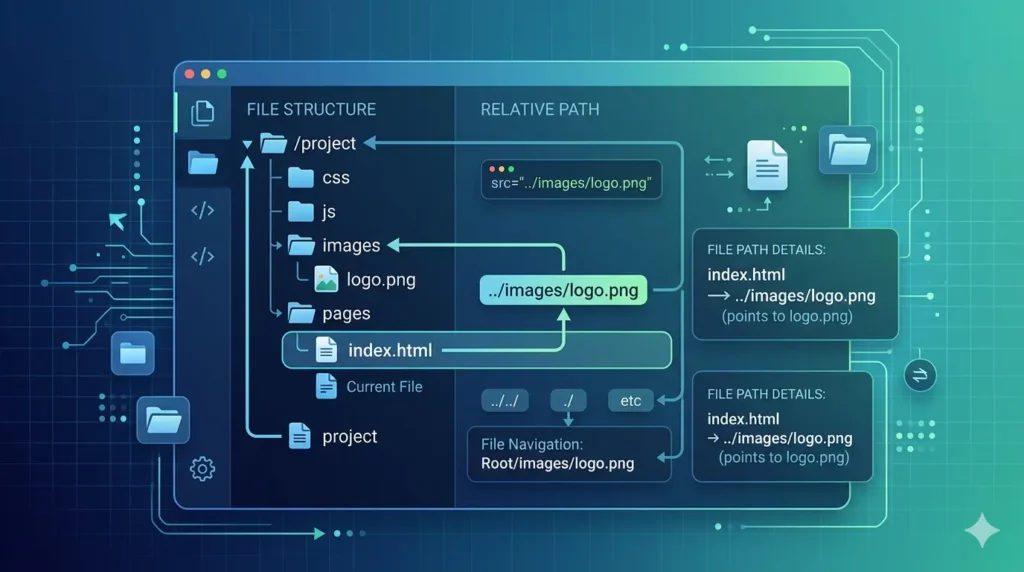
If you have ever worked with files, websites, or coding, you may have come across the word soutaipasu. At first, it looks confusing. But once you understand it, it becomes one of the easiest and most useful concepts in programming and web development.
In this guide, you will learn what soutaipasu means, how it works, where it is used, and why it matters so much in real-world projects.
Let’s break it down in a simple way.
What is Soutaipasu?
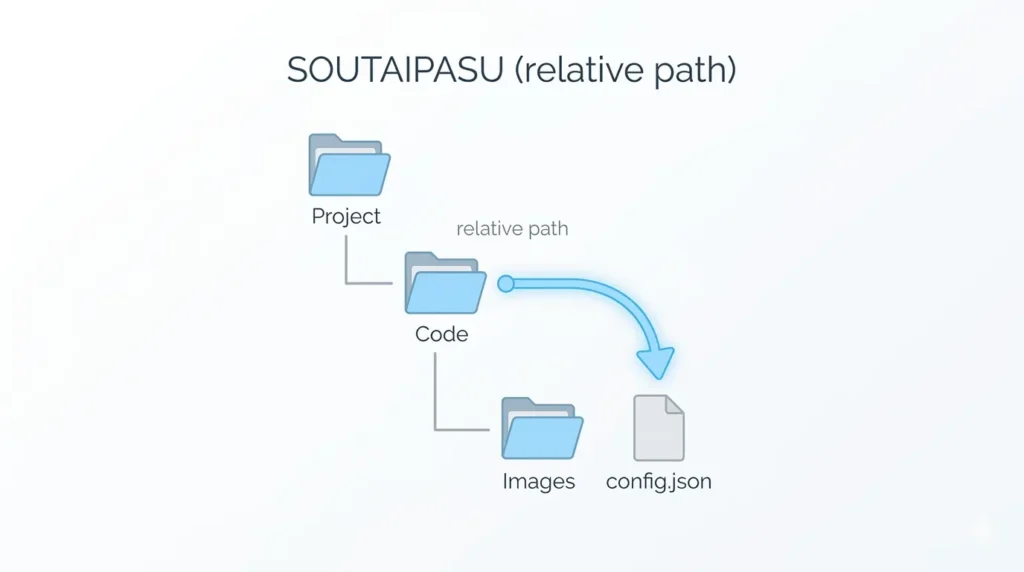
Soutaipasu (相対パス) is a Japanese term that means relative path in English.
In simple words, soutaipasu is a way to locate a file based on the current location instead of the full system address.
Think of it like giving directions:
- Instead of saying the full home address
- You say “go two streets ahead and turn left”
That is exactly how soutaipasu works.
It tells the system where a file is located, but only relative to where you are right now.
Why Soutaipasu is Important
You might wonder why we even need soutaipasu when we already have full file paths.
Here’s the truth: soutaipasu makes everything easier and flexible.
Without soutaipasu, developers would always need to write long full paths like:
C:/Users/Name/Documents/Project/images/logo.png
But with soutaipasu, you can simply write:
./images/logo.png
This makes projects:
- Easier to move
- Easier to manage
- Less error-prone
- Cleaner and faster to write
That’s why soutaipasu is widely used in web development, software engineering, and file management systems.
Soutaipasu vs Absolute Path
To fully understand soutaipasu, you need to compare it with its opposite: absolute path.
Absolute Path
An absolute path is the full address of a file starting from the root directory.
Example:
/home/user/projects/site/images/logo.png
It always works no matter where you are.
Soutaipasu (Relative Path)
A soutaipasu depends on your current location.
Example:
images/logo.png
or
../images/logo.png
It changes based on where you are inside the project.
Simple Difference
- Absolute path = full address (fixed)
- Soutaipasu = direction from current place (flexible)
How Soutaipasu Works in Real Projects
Let’s understand soutaipasu with a real-world folder example:
project/
│
├── index.html
├── about.html
└── images/
    └── logo.png
Now suppose you are inside index.html and want to access logo.png.
You will use:
images/logo.png
This is a soutaipasu because it starts from your current file location.
Moving Back Using Soutaipasu
If you are inside a folder and want to go back:
../
Example:
../styles.css
This means:
- Go one folder back
- Then find styles.css
That’s the power of soutaipasu.
Soutaipasu in Web Development
In web development, soutaipasu is used everywhere.
1. Linking CSS Files
<link rel="stylesheet" href="styles/style.css">
2. Linking Images
<img src="images/banner.jpg">
3. Linking JavaScript Files
<script src="js/app.js"></script>
All these are examples of soutaipasu because they depend on the current file location.
Soutaipasu in Programming
In programming languages like Python, Java, and Node.js, soutaipasu is also used for file handling.
Example in Python:
open("data/file.txt")
This means Python will look for the file based on the current working directory.
Again, this is a soutaipasu.
Why Developers Prefer Soutaipasu
There are strong reasons why developers love using soutaipasu:
1. Easy to Move Projects
If you move your project folder, soutaipasu still works.
2. Cleaner Code
No long messy file paths.
3. Better Collaboration
Teams can share projects without breaking file links.
4. Faster Development
Less time fixing broken paths.
This is why soutaipasu is considered a best practice.
Common Mistakes with Soutaipasu
Even though soutaipasu is simple, beginners often make mistakes.
1. Wrong Folder Level
Using too many ../ can break the path.
2. Confusing Absolute and Soutaipasu
Mixing both can cause file errors.
3. Missing Files
Sometimes the file is not where the soutaipasu points.
4. Case Sensitivity Issues
In Linux systems, Image.png and image.png are different.
Avoiding these mistakes makes your soutaipasu work perfectly.
Soutaipasu in Linux and Windows
In Windows:
images\logo.png
In Linux:
images/logo.png
Both are examples of soutaipasu, but Linux is more strict and commonly used in development environments.
Advanced Use of Soutaipasu
Once you understand the basics, soutaipasu becomes more powerful.
Example:
../../assets/images/logo.png
This means:
- Go two folders back
- Then go into assets folder
- Then images folder
- Then load logo.png
This is still a soutaipasu, just more advanced.
Soutaipasu in Large Projects
In big systems, soutaipasu helps organize thousands of files.
Without it:
- Code becomes messy
- Files break easily
With soutaipasu:
- Everything stays connected
- Project structure remains clean
That’s why frameworks like React, Laravel, and Django use soutaipasu heavily.
Best Practices for Using Soutaipasu
Here are some simple tips:
- Keep folder structure clean
- Avoid unnecessary deep paths
- Use clear folder names
- Test paths after moving files
- Don’t mix absolute paths unless required
Following these makes soutaipasu easy to manage.
Why Soutaipasu Matters in SEO and Websites
Even in SEO and website building, soutaipasu plays a role.
Fast-loading websites depend on correct file linking. If soutaipasu is wrong:
- Images don’t load
- CSS breaks
- JavaScript fails
This affects user experience and search rankings.
So, using correct soutaipasu improves:
- Site speed
- Structure
- SEO performance
Final Thoughts on Soutaipasu
At the end of the day, soutaipasu is not complicated.
It is just a smarter way to point to files using their position instead of full addresses.
Once you understand it:
- Coding becomes easier
- Projects become cleaner
- Errors reduce significantly
Whether you are a beginner or advanced developer, mastering soutaipasu will make your work smoother and more professional.
Quick Summary
- Soutaipasu = Relative path
- It depends on current location
- Used in web, programming, and file systems
- Easier than absolute paths
- Helps manage projects efficiently
If you understand soutaipasu, you already understand one of the core building blocks of modern development.